How to get started with e-signature on landingsseddel and sluttseddel
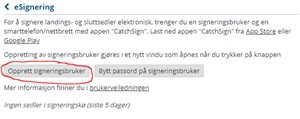
Generate username “Opprett signeringsbruker”.
Log in to MinSide at Råfisklaget. When logged in you may generate a username for yourself and for others.
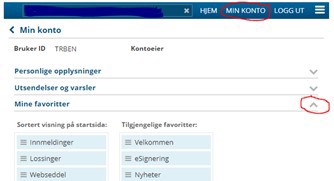
Click Min konto and Mine favoritter and hold and move the favourit eSignering into the left stack. Click Lagre, so it will appear on the start-page.
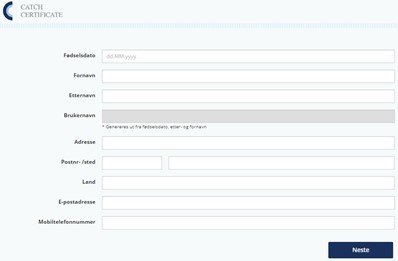
Click Opprett signeringsbruker and follow the instructions.

Go to Play Butikk or Appstore, search for CatchSign, download and open.
Write your username, which is date of birth (ddmmyy) + 3 letters in surname + 3 letters in first name.
Follow the instructions to complete the installation. (Accept terms, verify email and phone, write the code received. You may change language on the phone, not in the app. If you have a foreign phone, remember to use 0045, not +45 in the land code.
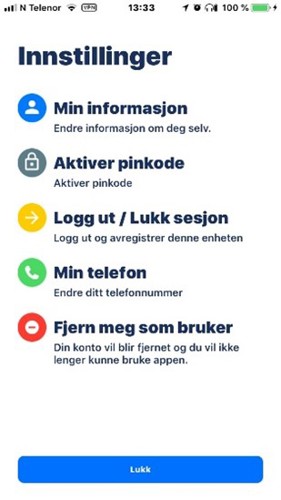
You will find your username under Min informasjon
Sign a document.
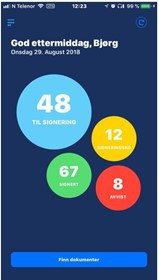
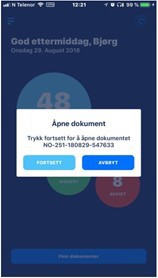
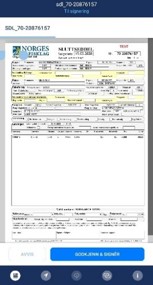
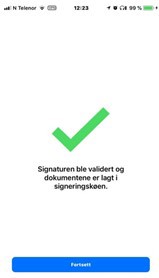
You will get an alert in the app, when there is a document to be signed. Follow the instructions. Open the document, check that everything is correct and sign.
Remember! Position and dataroaming must be activated in the mobile phone/pad.
Remember! The very first time a user signs, the buyer will get a message to resend the document to Råfisklaget.